> ## Documentation Index
> Fetch the complete documentation index at: https://docs.sciforium.com/llms.txt
> Use this file to discover all available pages before exploring further.

# Creating an API Key

<Steps>
  <Step title="Navigate to API Keys">
    Open the left sidebar and select **API Keys**.
  </Step>

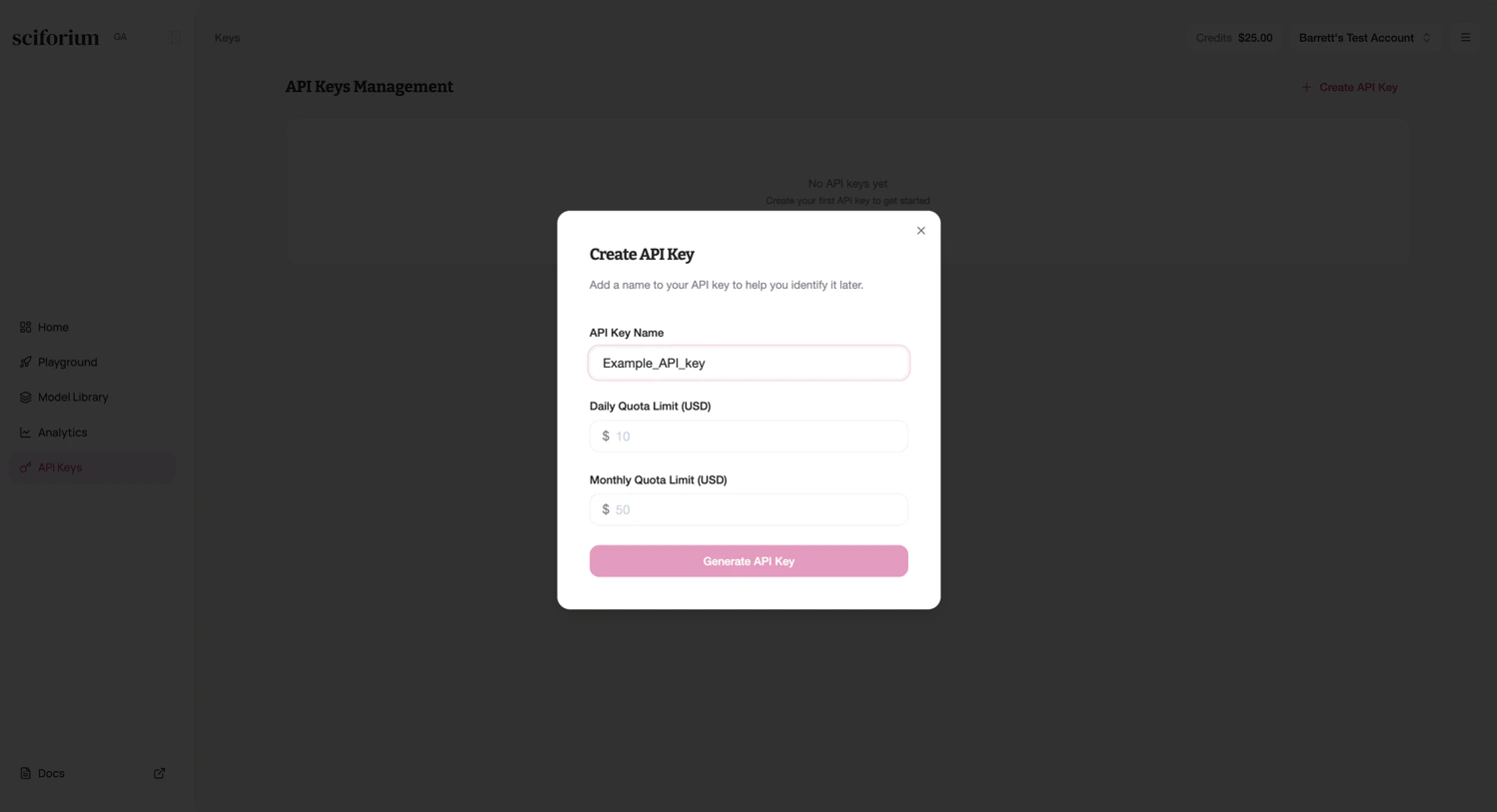
  <Step title="Create a new key">
    Click **+ Create API Key** in the top right.
  </Step>

  <Step title="Enter a descriptive name">
    Provide a name that identifies the key's purpose (e.g., `production-backend`, `dev-testing`).
  </Step>

  <Step title="Create and secure the key">
    Click **Create**. Copy the key immediately—it is shown only once. Store it in a secrets manager or environment vari
  </Step>
</Steps>

<Frame>
  <img src="https://mintcdn.com/sciforiumcorporation/7eawffLXcCAlqH0M/images/image-1.png?fit=max&auto=format&n=7eawffLXcCAlqH0M&q=85&s=cf4a63d888a2e46fbe03f3fe0d78e25a" alt="Image" title="Image" className="mx-auto" width="1498" height="813" data-path="images/image-1.png" />
</Frame>
