> ## Documentation Index
> Fetch the complete documentation index at: https://docs.sciforium.com/llms.txt
> Use this file to discover all available pages before exploring further.

# Support & Feedback

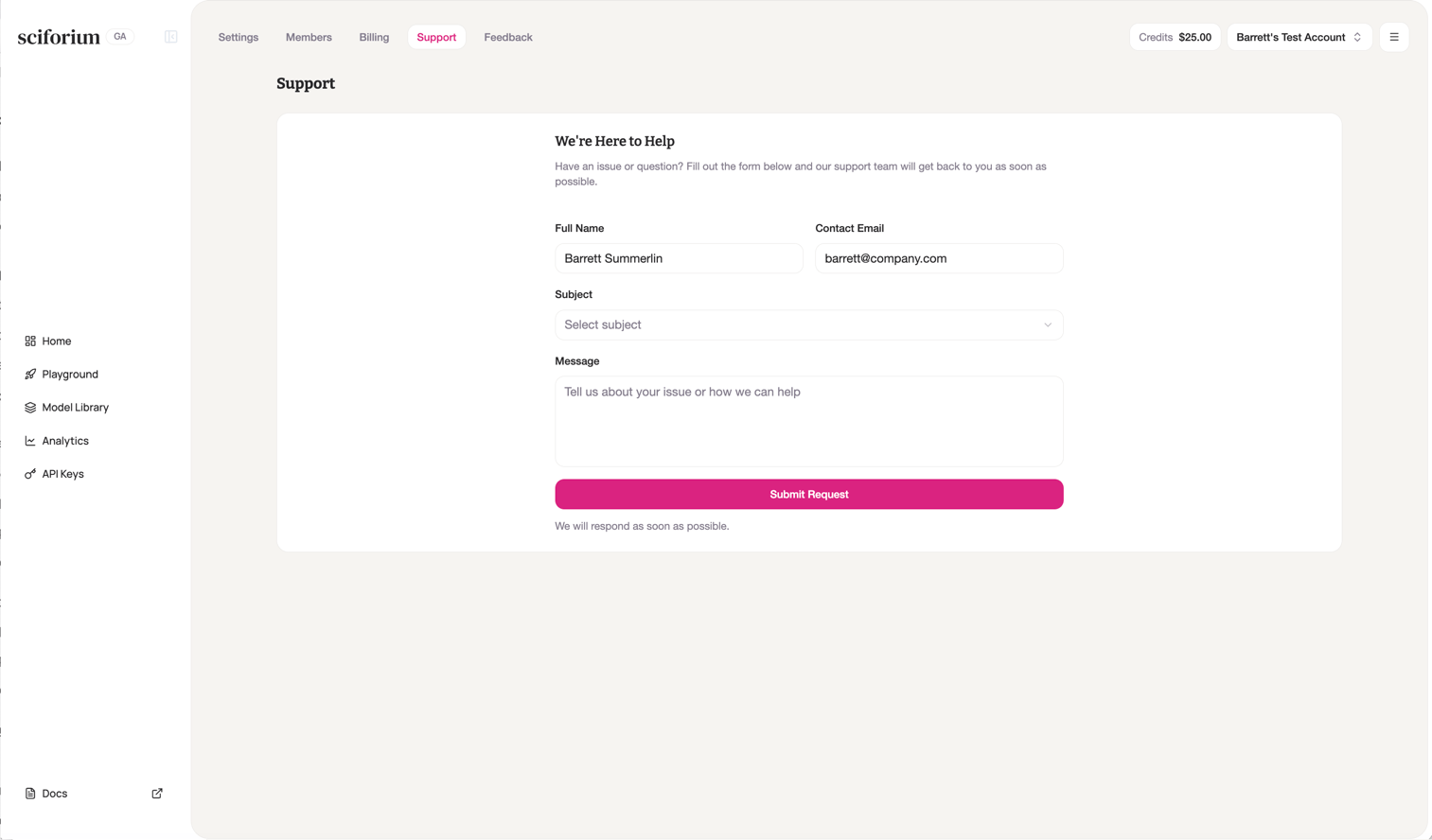
## Submitting a Support Request

<Steps>
  <Step title="Click Support in the top navigation bar" />

  <Step title="Verify your name and email are pre-filled from your account" />

  <Step title="Select a subject from the dropdown" />

  <Step title="Describe your issue in the Message field" />

  <Step title="Click Submit Request" />
</Steps>

<Tip>
  For urgent production issues, include request IDs, error messages, the model in use, and any relevant timestamps.
</Tip>

## Submitting Feedback

<Steps>
  <Step title="Click Feedback in the top navigation bar" />

  <Step title="Type your feedback — what's working, what's missing, or what could be better" />

  <Step title="Click Submit Feedback" />
</Steps>

<Note>
  Feedback is reviewed by the Sciforium team and used to inform the product roadmap.
</Note>

<Frame>
  <img src="https://mintcdn.com/sciforiumcorporation/7eawffLXcCAlqH0M/images/image-4.png?fit=max&auto=format&n=7eawffLXcCAlqH0M&q=85&s=dc554e77d6013cdbfeb1d957a687ede9" alt="Image" width="1513" height="888" data-path="images/image-4.png" />
</Frame>
