Sciforium home page
Search...
⌘K
Ask AI
Support
Console
Console
Search...
Navigation
API Keys
Managing Keys
Docs
Tutorials
Start
Introduction
Quickstart
Models
Overview
Model Library
Playground
Using the Playground
API Reference
Authentication
Base URL & Endpoints
Chat Completions
Image Generations
Image Edits
Error Codes
OpenAI Compatability
Video Generation APIs
Audio Transcription
Audio Speech
Attachment Parser API
API Keys
Creating an API Key
Managing Keys
Security Best Practices
Analytics
Data and Filtering
Admin
Account Settings
Billing
User Management
Support & Feedback
On this page
Revoke a key
Rotate a key
Quota settings
API Keys
Managing Keys
Copy page
Copy page
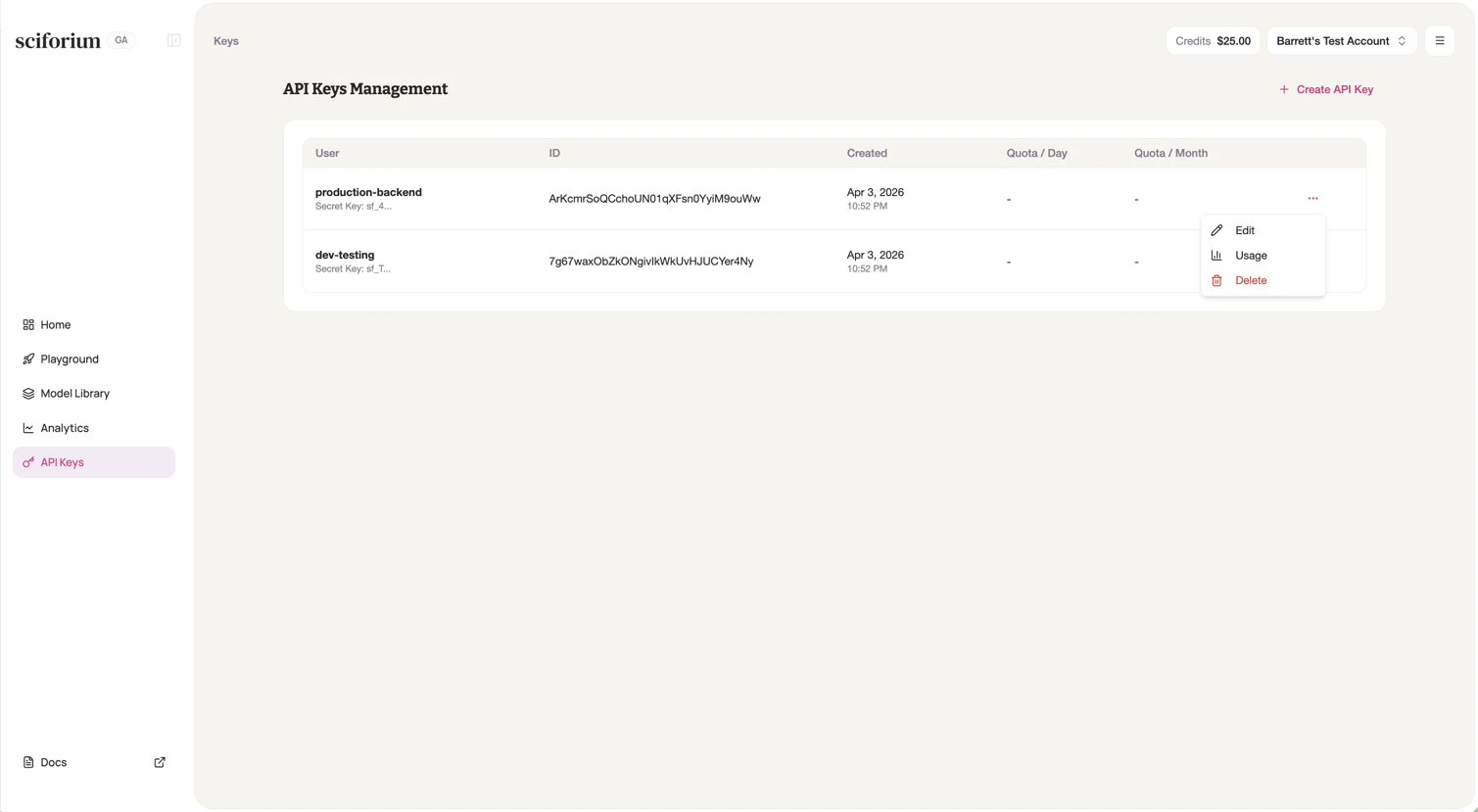
Your API Keys dashboard shows all active keys with names and creation dates.
Revoke a key
Click the options menu next to the key and select
Revoke
. The key is immediately invalidated — requests using it return 401.
Rotate a key
Create a new key
Update your integration
Verify it works
Revoke the old key
Quota settings
Admins can configure daily and monthly spend limits per key. See Billing & Budget Control below.
Creating an API Key
Security Best Practices
⌘I
Assistant
Responses are generated using AI and may contain mistakes.