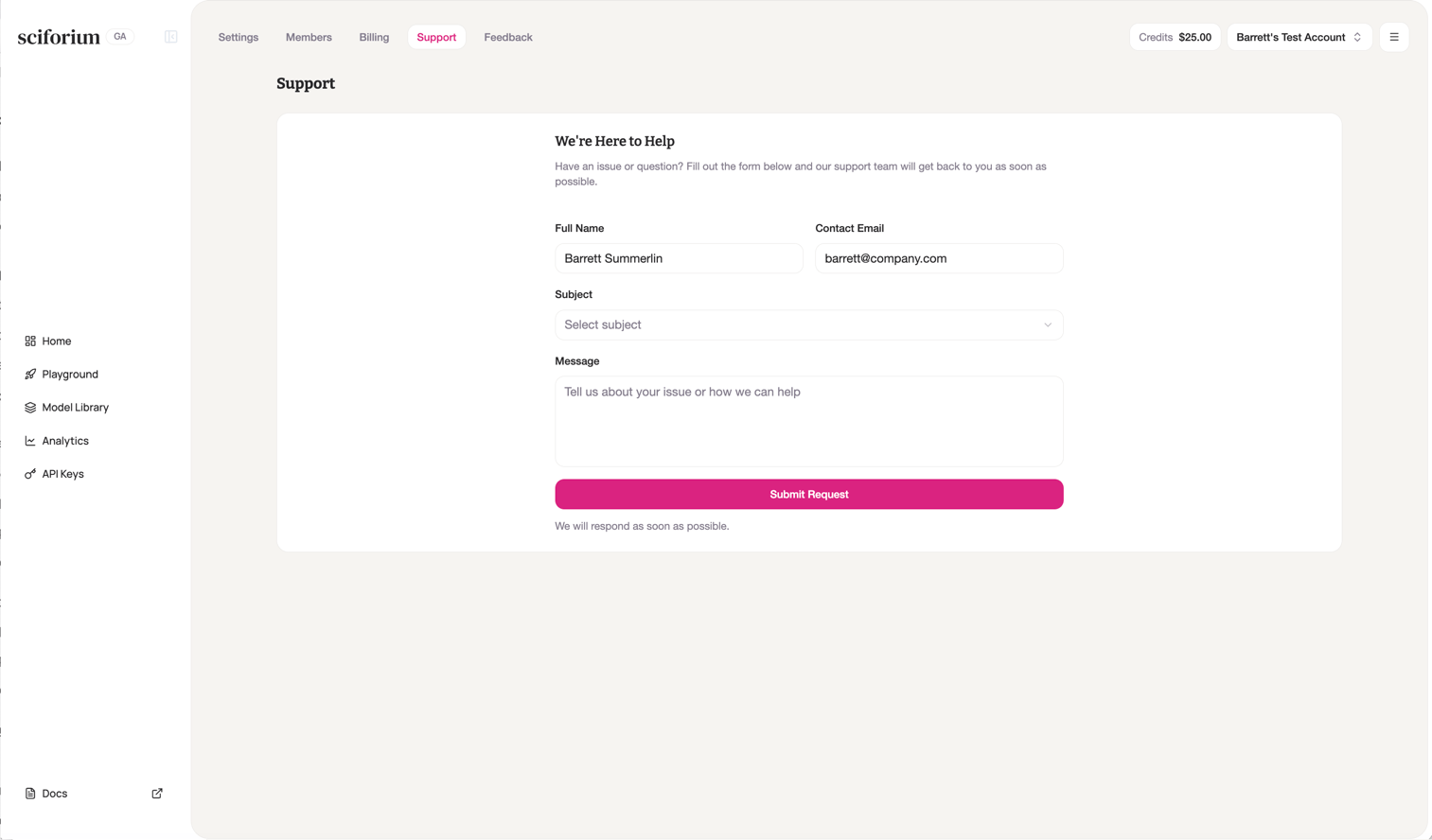
Submitting a Support Request
1
Click Support in the top navigation bar
2
Verify your name and email are pre-filled from your account
3
Select a subject from the dropdown
4
Describe your issue in the Message field
5
Click Submit Request
Submitting Feedback
1
Click Feedback in the top navigation bar
2
Type your feedback — what's working, what's missing, or what could be better
3
Click Submit Feedback
Feedback is reviewed by the Sciforium team and used to inform the product roadmap.